Showing posts with label Music and Audio apps. Show all posts

Tuesday, July 21, 2015

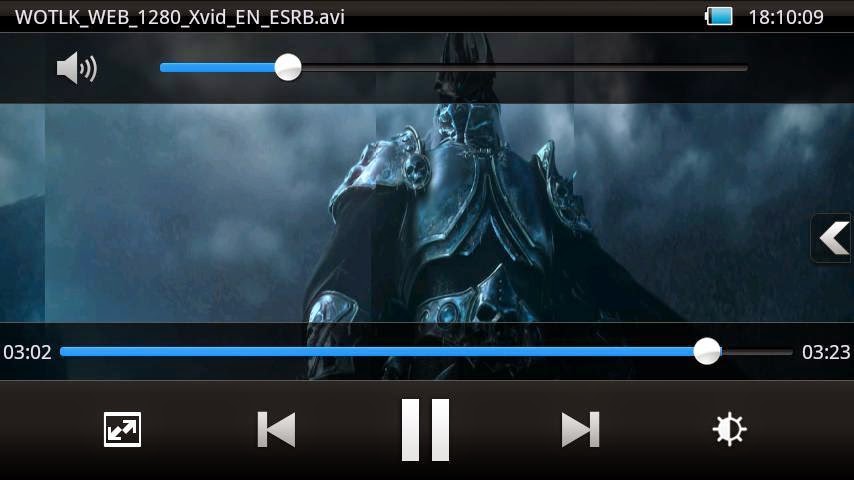
MX Player 1.7.41 Full Patched APK for Android + Neon & Tegra2 & Tegra3 Codec

MX Player 1.7.41 Full Patched APK for Android + Neon & Tegra2 & Tegra3 Codec

MX Player - The best way to enjoy your movies.

a) HARDWARE ACCELERATION - Hardware acceleration can be applied to more videos with the help of new HW+ decoder.
b) MULTI-CORE DECODING - MX Player is the first Android video player which supports multi-core decoding. Test result proved that dual-core device’s performance is up to 70% better than single-core devices.
c) PINCH TO ZOOM, ZOOM AND PAN - Easily zoom in and out by pinching and swiping across the screen. Zoom and Pan is also available by option.
d) SUBTITLE GESTURES - Scroll forward/backward to move to next/previous text, Up/down to move text up and down, Zoom in/out to change text size.
e) KIDS LOCK - Keep your kids entertained without having to worry that they can make calls or touch other apps. (plugin required)

Subtitle formats:
- DVD, DVB, SSA/ASS Subtitle tracks.
- SubStation Alpha(.ssa/.ass) with full styling.
- SAMI(.smi) with ruby tag support.
- SubRip(.srt)
- MicroDVD(.sub)
- VobSub(.sub/.idx)
- SubViewer2.0(.sub)
- MPL2(.mpl)
- PowerDivX(.psb)
- TMPlayer(.txt)
- Teletext
- PJS(.pjs)
- WebVTT(.vtt)


Download MX Player 1.7.41 Full Patched APK

Thursday, June 18, 2015

Dolby ATMOS™ R5 and R6.3

Dolby ATMOS™ R5 and R6.3


This is the Dolby Atmos sound effect ported from a Lenovo rom. This should work on all devices (starting from Android 4.3) since it is a software effect. It might conflict with other dolby effects you already installed. Flash the zip, it will edit (not overwrite) your audio_effects.conf.


R1
Initial release

R4
Fixed compatibility for Android 4.x in Ds.apk and DsUI.apk
Changed uuid and name of the library so it doesnt conflict with other dolby libraries (Ds and DsUI still do but will be overwritten)

R5
Removed demo video, size reduced to 3 mb

R6.1
Renamed namespace
Renamed Ds/DsUI to As/AsUI
Start from a clean rom (dirty flash) when installing this since it will not cleanup the previous version

R6.2
Patch both /system/etc/audio_effects.conf AND /system/vendor/etc/audio_effects.conf to bypass those badly implemented audio mods that blindly overwrite audio_effects.conf or put an unused audio_effects.conf in /system/vendor/etc.

R6.3
Added permissions in installer script


Download Dolby ATMOS™ R5 [3MB] ZIP


Download Dolby ATMOS™ R6.3 [2.83MB] ZIP

Wednesday, April 29, 2015

5 free best video-player apps for Android


5 free best video-player apps for Android


MX Player


 MX Video Player is probably the most famous and downloaded video player app for android on play Store and the reasons are obvious: the app supports multi-core decoding, CPU optimizations , child lock, full compatibility with Jelly Bean and of course the ability to play almost any type of video with subtitles. Well, the good things about MX Video Player for Android doesn’t end here, The player also allow to control playback with simple gestures, like swiping up/down for volume adjustments, or swipe left/right for rewind/forward into the video. If you’ve never tried it, now is the time to do so considering the enormous potential and pleasant graphics that it offers. The recent update brought an improved hardware decoder called H/W+. It also runs on the Nexus 7 tablet and offers background play.


VLC Player


 VLC media player is a free and open source cross-platform multimedia player that plays most multimedia files as well as discs, devices, and network streaming protocols.This is a BETA version of the port of VLC media player to the Android™ platform. It plays both audio and video.It is intended for everyone, but this version is not perfectly stable.It is still a beta, so it might kill your kitten or destroy your house, but it should be mostly fine now.

Mobo Video Player


With an excellent grid interface of your video collection Mobo Video Player Pro for Android allows to find videos easily rather than searching them through different folders as the app itself scan videos through storage and organise them. Similar to QQPlayer, Mobo Video Player also allows to hide videos.


VPlayer Video Player


VPlayer is one of the few video players for android available on the Play Store with true Hardware Playback option. VPlayer is available on a trial basis to test it for a week, then you have to buy the unlocker. Although it’s not supported by many devices and the basic features are more or less the same as other software mentioned above, VPlayer is an alternative to be considered because it consumes very little battery and hardware acceleration is really good. Not to mention that the graphics treated in detail . It is able to play all kinds of popular video formats, like MKV, AVI, MOV, FLV, TS, M4V, 3GP. It also can browse the file system or stream video content. It has ability to playback Full HD video on the latest dual/quad-core devices. It also has a very good-looking, clean UI with the latest ICS element in place.


The top 5 best music apps for Android


The top free 5 best music apps for Android

Equalizer+


The clue to a big part of this app is in the name. As with the other apps mentioned in this post, there's a pretty decent Equalizer built into this one. It's also a pretty solid music player, though to take advantage of everything it offers you will need to put your hand in your wallet.

On offer though is that 5-band equalizer with presets, bass booster, contextual search, a visualizer – which can be displayed on a second screen – fade and much more. The app is free to download, and you get access to the main equalizer controls for that, too.


Shuttle Music Player


Shuttle is perhaps one you've not heard of before, but one that's definitely worth your attention. Where something like Poweramp is pretty heavy duty and has tons of settings and customizations, Shuffle offers a portion of that with a much more lightweight look and feel.
It comes with a sleep timer, gapless playback, a choice of a few different themes, built in equalizer and much more. And for the HOLOYOLO kids out there, it's pretty much perfect in how it looks. It comes in free and paid versions, but with the paid version just $0.99, it also represents fantastic value for money.


Google Play Music


Not just a music player, but we have to include Google Play Music. While it doesn't have the deep customization or power features of something like Poweramp, it offers what others do not; that huge cloud library for your own music. After all, without the music to listen too, what good is a killer music player?

That's not to say Google Play Music isn't a good music player, because it is. Being a Google product it integrates perfectly with your device – including the sweet new KitKat lockscreen artwork. But the real value is in that cloud storage. It means you can take your music collection with you on whichever Android – and now even iOS – device you own. Sure, you need to offline some of that from time-to-time, but it's always with you.

Poweramp


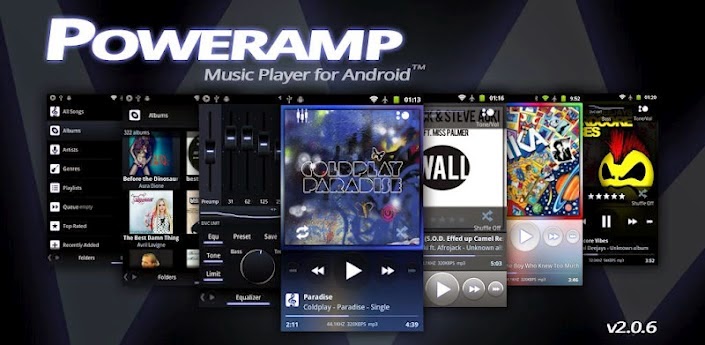
Poweramp is another real favorite. It offers a list of features long enough that we could sit here talking about it all day. But, if you're serious about your music, you should definitely take a look. Making that easier is the free 15-day trial. No barriers, just full access for that 15-days to see whether you like it or not.
And the chances are pretty high that you will like it. It has a much different visual look to something like DoubleTwist, but looks just as fantastic in its own way. Big album artwork in the "Now Playing" view, a crisp and clean layout and some pretty amazing customizations. Poweramp supports themes and has a bunch of tweaks you can make in the settings, so you can really create the music player you've always wanted.

With a ton of different files supported, an equalizer, crossfade, gapless, and much, much more, Poweramp is definitely one of the best music players on Android.

DoubleTwist


We've talked about DoubleTwist a lot around these parts and with good reason. DoubleTwist became a favorite of Android users that had deep roots in the iTunes ecosystem, and still is. But, besides just offering a simple, seamless way to sync your music between iTunes and Android, DoubleTwist is a fine music player in its own right.
The basic music player download is free, but if you're looking for a little more in-app purchases are available to unlock the full power of the app. It has a lot to offer, too. Beyond the visual appeal you have an equalizer, high quality album artwork, a "What's Next" list that eliminates "the guess work of what's coming up next" and support for a whole bunch of different audio formats.

Add videos, podcasts, wireless syncing to your iTunes library, sending music to your Apple TV and other devices, DoubleTwist isn't just a great music player. It's a great all-round media player.